Deleted or formatted Ubuntu but your PC still starts at a GNU GRUB command line? Your Windows installation may still be completely intact. In many UEFI dual-boot systems, Ubuntu is removed but the old ubuntu firmware boot entry is still first in the boot order, so the computer loads GRUB instead of Windows Boot Manager.
This guide shows how to boot Windows from the GRUB command line, using a real-world example where the old Ubuntu EFI files are on (hd0,gpt1) and Windows Boot Manager is on (hd1,gpt1). It also explains how to make the repair permanent after Windows starts.
Important: Disk names such as (hd0,gpt1) and (hd1,gpt1) are examples. Do not blindly copy them. First locate the partition that actually contains EFI/Microsoft/Boot/bootmgfw.efi on your own PC.
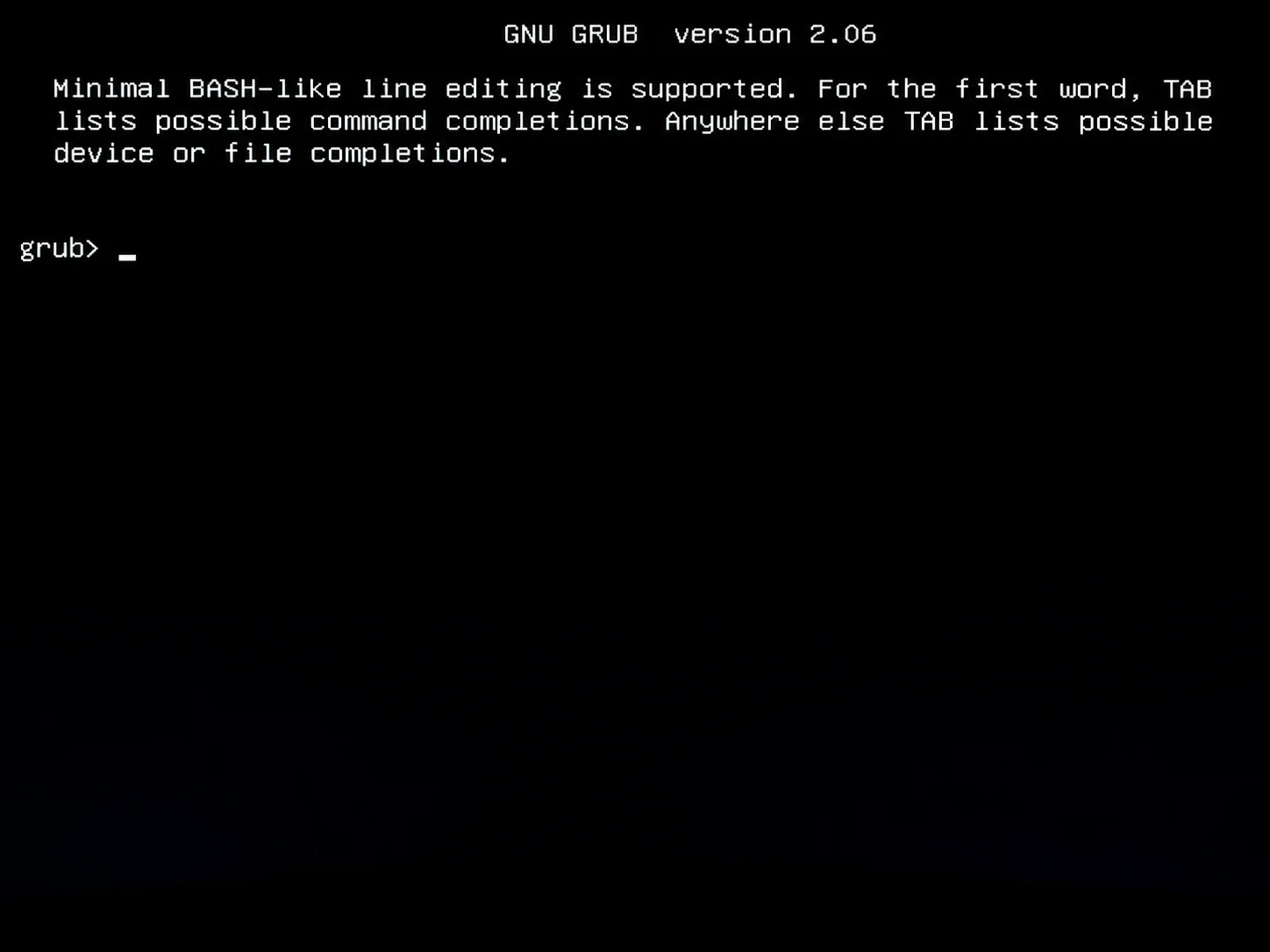
Why GNU GRUB still appears after Ubuntu was deleted
Installing Ubuntu on a UEFI computer normally creates an Ubuntu firmware boot entry and places GRUB files under an EFI System Partition. If Ubuntu is later formatted or its Linux partition is deleted, those firmware settings are not always removed automatically.
Ubuntu originally installed
        ↓
GRUB added to UEFI firmware
        ↓
"ubuntu" becomes a boot option
        ↓
Ubuntu partition later deleted or formatted
        ↓
Old UEFI "ubuntu" entry still exists
        ↓
Firmware starts GRUB
        ↓
GRUB cannot find the old Ubuntu installation
        ↓
grub>
This is why you may see a screen similar to:
GNU GRUB version 2.12

Minimal BASH-like line editing is supported...

grub>
The problem is often the boot path, not Windows itself.
Example disk layout used in this guide
(hd0,gpt1) → EFI/ubuntu/
(hd0,gpt2) → old Ubuntu partition was removed/formatted

(hd1,gpt1) → EFI/Microsoft/
             └── Boot/bootmgfw.efi
In this example, (hd1,gpt1) is the EFI System Partition that contains Windows Boot Manager. Your PC may use different disk numbers.
Step 1: List the disks and partitions in GRUB
At the grub> prompt, type:
lsYou may see output such as:
(proc) (memdisk) (hd0) (hd0,gpt1) (hd0,gpt2) (hd1) (hd1,gpt1)hd0,hd1— physical disks as GRUB sees them.gpt1,gpt2— partitions on GPT-partitioned disks.procandmemdisk— GRUB internal devices; normally ignore these for this repair.
Do not assume GRUB’s hd0 is the same device that Windows calls Disk 0. Firmware and bootloader disk ordering can differ.
Why does ls (hd0)/ say unknown filesystem?
(hd0) represents the entire disk, not a normal filesystem partition. On a GPT disk, trying to list the whole device with ls (hd0)/ can therefore return unknown filesystem. Test individual partitions such as (hd0,gpt1) instead.
Step 2: Find the Windows EFI partition
Check likely partitions one at a time:
ls (hd0,gpt1)/
ls (hd0,gpt2)/
ls (hd1,gpt1)/
An EFI System Partition will often contain:
EFI/ System Volume Information/Then inspect its EFI directory:
ls (hd0,gpt1)/EFI/
ls (hd1,gpt1)/EFI/
If one partition shows:
ubuntu/that is normally the old Ubuntu/GRUB EFI directory.
If another partition shows:
Microsoft/check for the Windows UEFI loader:
ls (hd1,gpt1)/EFI/Microsoft/Boot/You are looking for bootmgfw.efi. In our example, it is located at:
(hd1,gpt1)/EFI/Microsoft/Boot/bootmgfw.efiStep 3: Try the easiest way back to Windows first
Before entering several GRUB commands, try:
exitOn some UEFI systems, exit leaves GRUB and returns to firmware or another boot-selection screen. If you see Windows Boot Manager, choose it.
If exit simply returns you to GRUB, continue with the manual method below.
Alternative: use BIOS/UEFI if you forgot the GRUB commands
If you do not remember the GRUB commands, you can often bypass GRUB completely and start Windows from the firmware boot menu instead. This is especially useful when you already know that Windows is still installed and the problem is only that the old ubuntu boot entry is above Windows Boot Manager.
- If possible, restart the computer normally. If the GRUB screen is completely stuck and there is no working restart option, a forced power-off may be necessary, but avoid making this your normal method.
- Power the PC back on and immediately press the manufacturer’s BIOS/UEFI or one-time boot-menu key. Common keys include F2, F10, F12, Delete, or Esc.
- Choose Windows Boot Manager from the boot menu, or open the firmware boot-order settings.
- If Windows boots correctly, move Windows Boot Manager above ubuntu in the permanent boot order and save the changes.
This method does not repair GRUB. It simply tells the firmware to start Windows Boot Manager instead. If you make Windows Boot Manager the first boot option, this may also be all you need after Ubuntu has already been removed.
Step 4: Boot Windows from the GRUB command line
For the example in this guide, Windows Boot Manager is on (hd1,gpt1). Enter the following commands one line at a time:
insmod part_gpt
insmod chain
set root=(hd1,gpt1)
chainloader /EFI/Microsoft/Boot/bootmgfw.efi
boot
Do not use (hd1,gpt1) unless you verified that it contains EFI/Microsoft/Boot/bootmgfw.efi. If Microsoft is on another partition, replace (hd1,gpt1) with that partition.
What each GRUB command means
insmod part_gpt— loads GRUB support for GPT partition tables if it is not already available.insmod chain— loads GRUB’s chainloader module so GRUB can hand control to another bootloader.set root=(hd1,gpt1)— tells GRUB which partition contains the Windows EFI boot files.chainloader /EFI/Microsoft/Boot/bootmgfw.efi— selects Microsoft Windows Boot Manager.boot— starts the selected Windows bootloader.
These commands do not format, reinstall, or delete Windows. They only tell GRUB which EFI bootloader to launch for this boot.
Video walkthrough: getting past the GNU GRUB screen
If you prefer to see the recovery process visually, the following video demonstrates troubleshooting a PC stuck at the GNU GRUB screen. Use the written steps in this guide to verify your own disk and EFI partition names before entering commands.
Step 5: Make Windows Boot Manager the default permanently
The commands above are a temporary way to enter Windows. If the firmware still starts the old Ubuntu entry first, GRUB can return on the next reboot.
- Restart the PC and enter BIOS/UEFI setup or the one-time boot menu. Common keys include F2, F10, F12, Delete, or Esc, depending on the manufacturer.
- Open the Boot, Boot Priority, or Boot Order section.
- Move Windows Boot Manager above ubuntu.
- Save the firmware settings and restart.
If Windows now starts normally every time, the main problem is fixed.
Step 6: Check the old Ubuntu firmware entry from Windows
After Windows starts, open Command Prompt as Administrator and list the UEFI firmware applications:
bcdedit /enum firmwareLook for entries whose descriptions identify Windows Boot Manager and ubuntu. Microsoft documents the FIRMWARE enumeration type specifically for firmware applications.
Do not delete a firmware entry just because it has an unfamiliar GUID. Verify the description and path first, and never delete the Windows Boot Manager entry. Changing boot entries incorrectly can make a PC unbootable.
If your firmware already lets you disable or remove the obsolete ubuntu entry, using the BIOS/UEFI interface is often the simplest cleanup method. Deleting leftover EFI/ubuntu files is optional and should only be done after Windows Boot Manager is confirmed to work independently.
If Windows Boot Manager is missing from UEFI
If Windows itself is intact but the Windows Boot Manager firmware entry is missing or damaged, Windows includes BCDBoot for repairing the boot environment. Microsoft states that on UEFI systems, BCDBoot can copy the Windows EFI boot files and create a Windows Boot Manager firmware entry in NVRAM.
A common repair command, when the installed Windows directory is C:\Windows, is:
bcdboot C:\WindowsRun boot-repair commands only from an Administrator Command Prompt or Windows Recovery Environment, and only after confirming the correct Windows installation. If your Windows drive letter is different in recovery mode, replace C: accordingly.
Troubleshooting common GRUB errors
error: unknown filesystem
If ls (hd0)/ reports unknown filesystem, remember that (hd0) is the whole disk. Test the GPT partitions instead. If a specific partition also reports an unknown filesystem, it may be an unsupported filesystem, an encrypted volume, an empty/formatted partition, or a damaged filesystem. You do not need to read the main Windows NTFS partition if you can locate the separate FAT-based EFI System Partition containing EFI/Microsoft.
file /EFI/Microsoft/Boot/bootmgfw.efi not found
You probably selected the wrong EFI partition or the Windows boot files are missing. Go back and inspect each EFI partition with ls. Do not assume Microsoft is on the same disk as the old Ubuntu EFI directory.
can’t find command ‘chainloader’
Load the chain module first:
insmod chainThen run the chainloader command again.
Microsoft is on hd1 instead of hd0
That is normal on systems with multiple SSDs or hard drives. Use the partition where you actually found EFI/Microsoft/Boot/bootmgfw.efi. For example:
set root=(hd1,gpt1)
chainloader /EFI/Microsoft/Boot/bootmgfw.efi
boot
exit takes me back to GRUB
The exit shortcut is firmware-dependent. If it does not expose Windows Boot Manager, use your PC’s one-time boot menu or manually chainload bootmgfw.efi.
What if Windows uses BitLocker?
GRUB is chainloading the Windows EFI boot manager from the EFI System Partition, not decrypting the Windows operating-system volume itself. Windows Boot Manager handles the next stage. However, firmware or boot-chain changes can sometimes trigger a BitLocker recovery prompt, so make sure your BitLocker recovery key is available before changing firmware boot settings.
Frequently asked questions
Does seeing GNU GRUB mean Windows was deleted?
No. GRUB appearing after Ubuntu was removed often means the firmware is still starting the old Ubuntu boot entry. Windows can remain intact on another partition or disk.
Can I boot Windows 10 or Windows 11 this way?
Yes, on a standard UEFI installation the Windows boot manager is normally under EFI/Microsoft/Boot/bootmgfw.efi. The exact GRUB disk and partition identifier varies by computer.
Do I need to delete the EFI/ubuntu folder?
Not to get Windows running. First make Windows Boot Manager the default and confirm several successful boots. Removing old Ubuntu EFI files is cleanup, not the first recovery step.
Why does GRUB still show Ubuntu after I formatted the SSD?
UEFI boot entries are stored in firmware NVRAM, separately from the Ubuntu filesystem. Formatting a Linux partition does not necessarily remove those firmware entries.
References
- GNU GRUB Manual — official GRUB documentation, including chainloading.
- Microsoft Learn: BCDEdit /enum — documents
FIRMWAREenumeration. - Microsoft Learn: BCDBoot command-line options — Windows boot-environment repair and UEFI firmware entry behavior.
- Unix & Linux Stack Exchange: How to start a Windows partition from the GRUB command line — practical GPT/UEFI examples.
- Ask Ubuntu: How can I manually boot Windows from the GRUB2 terminal? — community troubleshooting reference.
- YouTube: GNU GRUB black-screen troubleshooting walkthrough.